Showing posts with label iPhone Apps. Show all posts

VideoSelfie app to make animated selfies- iPhone, iPad, and iPod touch.


VideoSelfie app for animated selfies

Last week we talked about Vimo an app to put animated stickers in your videos. For today, we have another tip even better. This is the VideoSelfie, which, as the name suggests, helps you capture selfies in video form, with a few more features that make it more attractive than the camera front of your iPhone.

When you open the app now let's get to catch part. The VideoSelfie offers a series of filters to enhance images, which are applied in real time. To do this simply slide your finger to the sides and choose the filter you would like. The cool thing is the same animated GIFs. Tap the icon just below the radio button pink to open the GIFs gallery. In addition to choosing an online gallery, you can also import your own images, and you can enter up to 5 figures.
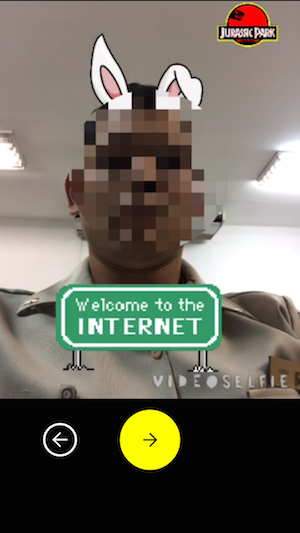

Place the animations properly, choose a song and ready, your VideoSelfie is ready to start. Press and hold the pink circular button until desired. You can stop recording the images are not lost, and to continue, simply press and hold the pink button again, over and over again.

When finished capturing, tap the green arrow in order to export, where you can save the video on the device or Dropbox, post on Instagram or Facebook and more.

The app also has a kind of social network where the best VideoSelfies of users around the world are shown. You can publish your own videos, enjoy, share and add other users as friends. A nice feature are the messages, where you can exchange private messages with video added users.
In addition, the difference between it and the Vimo, which we talked about last week, is that with the VideoSelfie you apply effects and inserts the stickers in real time while capturing the image. Vimo already allows you to do something like that, but after the shooting.
https://itunes.apple.com/us/app/videoselfie/id655895351

Vimo Lets You Add Animated Stickers To Your Videos-iPhone


Vimo

Applications for editing photos and videos are in high lately, and each day brings many in the App Store. A very cool is the Vimo that brings a very simple feature, but can let your good fun videos. The name is the combination of Video + Motion Stickers, which are animated stickers. With it you can add a huge variety of stickers from eyes or eyebrows funny cat's whiskers, butterflies, clouds, etc.

The interface is simple and straightforward. When you open the app you must select the video source and can use the camera to capture a moment or import any video from the Camera Roll.

With open video, you will have a button "+" to add a new figure, and the timeline below. By tapping the button to add, opens the stickers gallery. There are several categories, among which emotion, sea, garden, and the coolest, "funny". Now just choose the animation and the desired color, then make the retouch position and size fussing with the icon of the little arrows.

Vimo iPhone and iPad

But then let's say you want to add a whisker on his friend, but he is moving in the image. What's up? Simple, touch the figure and note that a finger button appears next to the add. There you will move the picture around the screen, and the same movement will play along with the video. With this gives to put a boat passing, and mainly follow people or anything else that is moving.

On the timeline you control the duration of each animation, and touching the thumbnail of the picture allows delete it or change the color. Now that your video is ready, simply export it. The app provides options to save on your Camera Roll, post to Facebook, YouTube, Instagram, Vimeo, or the standard iOS sharing dialogue - to save in Dropbox, for example.

Vimo Video Motion Sticker and Text

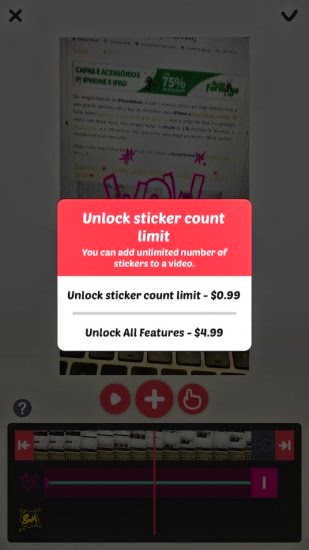
The app is free, but with some limitations. You can only add two figures for video and only 3 categories are released. Through in-app purchases, you can purchase an individual sticker package for $0.99 each or unlock all features for $4.99. In addition, without unlocking all the functions exported videos viewed by the right application at the bottom, but nothing too intrusive.

https://itunes.apple.com/us/app/vimo-video-+-motion-sticker/id952050883

If you like this app, consider sharing it on Google plus and Facebook.